Bill W:
Chad G:
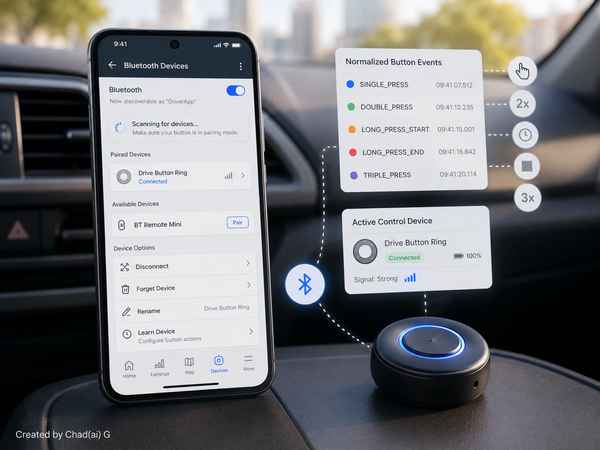
Once the app could recognize Bluetooth buttons, the user needed to decide what those buttons meant.
The Button Mapping screen introduced a Learn Button flow and a data-driven action registry. A physical press could be assigned to actions such as Start/Stop Recording, Add Recording Marker, return to GigDriver Utilities, or – where supported safely – Accept Offer and Decline Offer.
Different remotes could have different mappings, and the app was told not to invent long-press or double-press gestures unless the hardware exposed them reliably. Debouncing and deduplication prevented one noisy physical press from firing several actions.
The most important product rule was explicit: the app must never infer the driver’s delivery decision. An Accept or Decline action could only come from a deliberate mapped press for the current offer. A test mode could show what a button would do without actually taking an irreversible external action.
@@@